Export Airtable
to Excel.
On your schedule.
Get a readable Excel workbook and actual attachment files, downloaded directly to your PC or Mac. No scripts. No manual CSV conversion.
Mac & Windows $9.99 · One-time purchase
Native .xlsx filesClean, readable Excel files.
Attachments includedActual files, downloaded together.
Direct to your computerNo intermediate cloud storage.
Your data.
Ready for Excel.
Export Airtable to .xlsx for your next report. Read linked-record names, open the downloaded files and keep everything on your computer.
Readable linked records.
Get linked-record names and values in a formatted Excel workbook. Export Airtable to Excel with linked records for reports you can read and share.
The actual files come along.
Download Airtable attachments in bulk, including images, photos, PDFs and documents. Files are saved alongside the workbook, rather than embedded in Excel cells.
No scripts. No CSV conversion.
Connect Airtable, choose Excel and run your export in the desktop app. Export without writing code. CSV and JSON are available too.
From base to workbook.
In a few simple steps.
Choose the data, the format and the destination. Solid Backup handles the export and attachment downloads together, with no script to write.
- 1
Connect your Airtable
Authorize access to the Airtable data you want to export.
- 2
Choose your export
Select your bases, your file format and a folder on your computer.
- 3
Export. Or set a schedule.
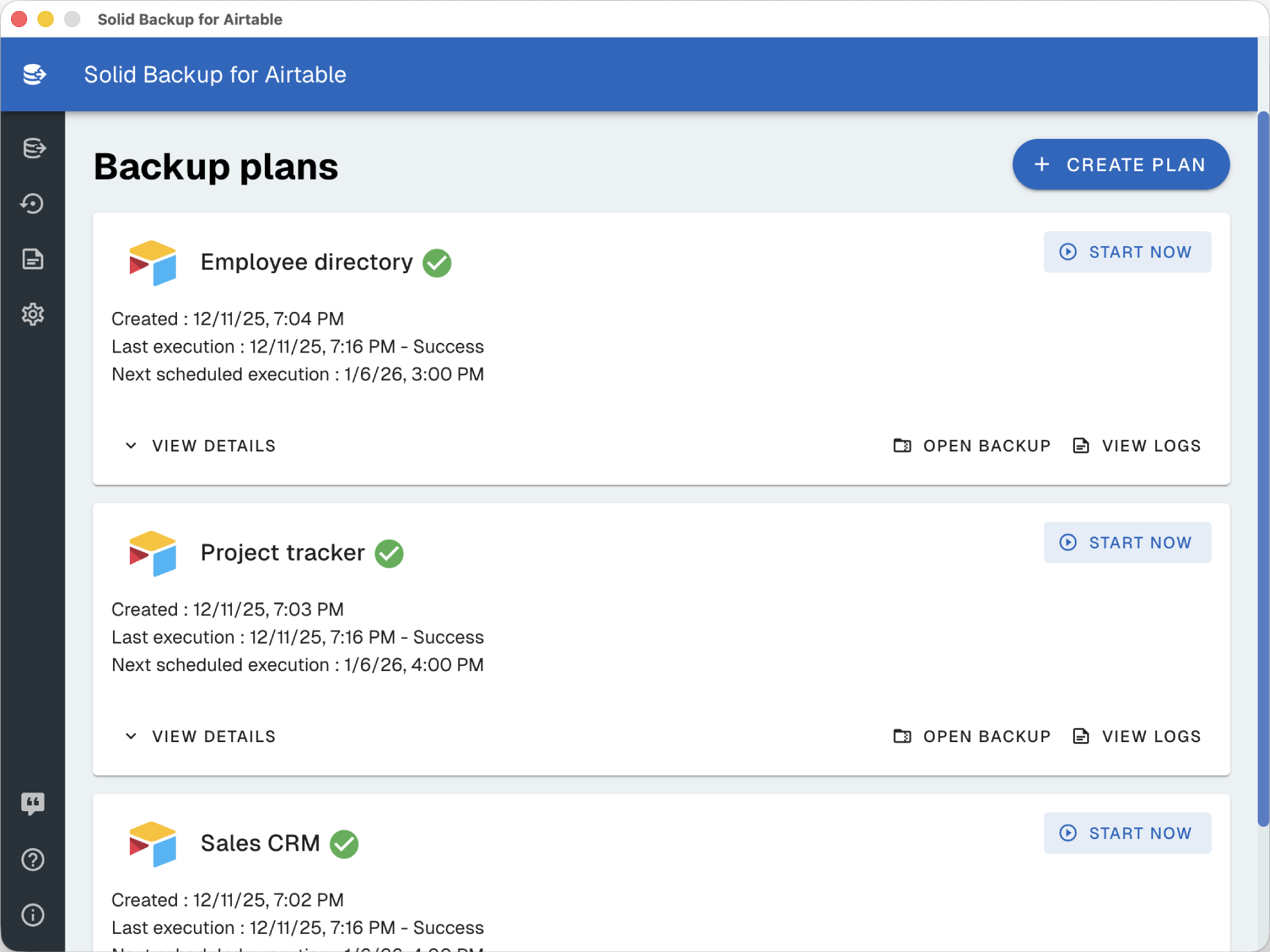
Run your export now, or repeat it daily, weekly or monthly.
One less thing
on your calendar.
Monday’s spreadsheet. Your monthly archive. Set a rhythm for your exports and let Solid Backup handle the repetition.
- Daily, weekly or monthly schedules
- Excel, CSV and JSON exports
- Local backups, with encryption available
Keep your computer on and the app running with an internet connection for scheduled exports. Read the scheduling guide.
Your files stay local.
Protection is your choice.
Directly from Airtable to your computer, with no intermediate cloud storage. Add optional password protection to the archives you want to keep private.
Directly to your PC or Mac
Your Excel exports, backup archives and attachment files are saved in the folder you choose. Solid Backup does not view or store your exported Airtable data on its servers.
Open downloaded files offline when you need them. Connect to the internet when you want to fetch new data.
Explore local Airtable backupsOptional AES-256 encryption
Protect exported archives with a master password using AES-256 encryption via 7-Zip. Enable it for sensitive archives, or leave it off for direct access to your exports.
Archive encryption protects the contents inside the archive. It does not add an Excel password to extracted .xlsx files.
How archive encryption worksFor a reliable backup routine, verify completed downloads, keep your archive password separately and test the data you would restore.
See Solid Backup
in action.
A closer look at the app, from connecting your Airtable data to creating your first export.
Your exports.
Your computer.
One purchase.
Export to Excel today. Schedule the next one. Keep a backup along the way.
A few questions? We’ve got answersSolid Backup for Airtable
$9.99 One-time purchase
- Excel, CSV & JSON exports
- Daily, weekly & monthly scheduling
- Attachments & readable linked records
- Direct downloads to your PC or Mac
- Optional AES-256 archive encryption
- Local backups & restoration
For macOS and Windows. Choose the store for your computer.
Good questions.
Clear answers.
Can I export Airtable to Excel?
Yes. Solid Backup exports your Airtable data as native Excel (.xlsx) files. You can also export to CSV and JSON. Linked records use readable names so your exported data is easier to work with.
Can I schedule my exports?
Yes. Set a daily, weekly or monthly schedule in the desktop app. Keep your computer on and the app running with an internet connection so it can retrieve your Airtable data when the export is due.
What happens to my attachments?
Attachments are downloaded to your computer alongside your exported data. They are saved as files, rather than embedded inside Excel cells.
Where is my data stored?
Your exports and backups are saved locally, in the folder you choose on your computer. Solid Backup does not store your Airtable data on its own cloud servers.
Is encryption optional?
Yes. You can enable AES-256 archive encryption via 7-Zip with a master password. Leave it off for direct access to your exported files. Encryption protects the archive; extracted Excel files need their own protection.
Can I use it for backups too?
Yes. Alongside Excel, CSV and JSON exports, Solid Backup supports local backups, encryption and restoring data to Airtable.
Is this a subscription?
No. Solid Backup costs $9.99 as a one-time purchase. Choose the Mac App Store or Microsoft Store version for your computer.
Find your export workflow.
Start with a spreadsheet, compare the native CSV option, or build a local backup routine.
Let’s get your data moving.
Have a question about Solid Backup? We’re here to help.